Browser extension versus manual engine play for how to cheat in Chess.com and which is safer
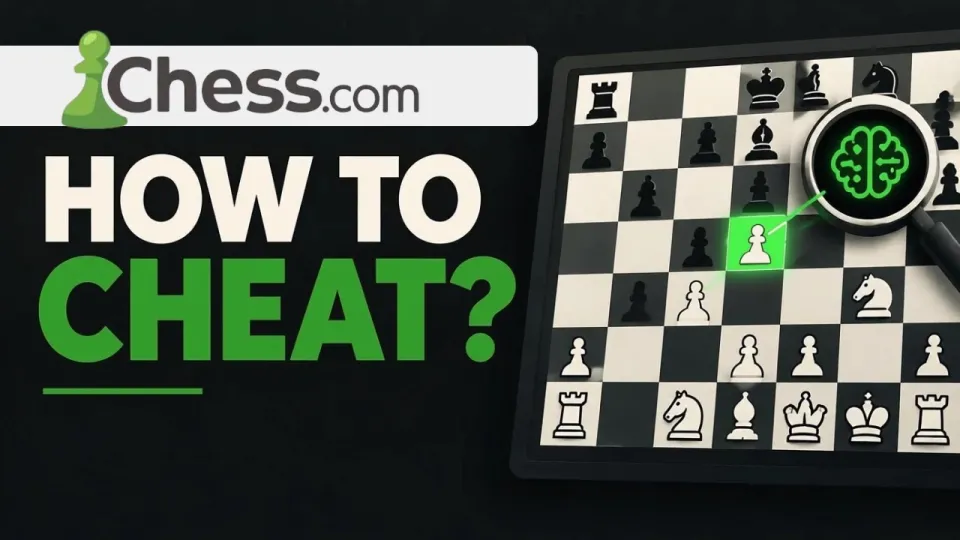
Video: How to cheat in Chess.com (Chess.com cheats)
Key takeaways
- The method shown by Matyc relies on a browser extension distributed through the xmods.cc item page, not on a modified Chess.com app.
- A Chess.com cheat extension reads the position from the page and suggests or plays engine moves, typically Stockfish, inside the browser.
- Chess.com's anti-cheat compares move quality against engine lines and flags accounts with abnormal accuracy across many games.
- Manual engine play requires copying moves into a separate Stockfish window, which is slower and produces obvious timing patterns.
- Chess.com can close flagged accounts and remove ratings; bans are applied to the account, not to the browser.
The quickest route shown for how to cheat in Chess.com is a browser extension: you install it from the xmods.cc item page, open a game on Chess.com, and the tool overlays engine suggestions on the live board. The alternative — running Stockfish in a separate window and copying moves by hand — works without any install but is slower and leaves a much more obvious pattern in your move times. Both approaches feed you engine moves; they differ in speed, effort and how easily Chess.com's detection systems can spot them.
What a Chess.com cheat extension actually does
A Chess.com cheat extension is a script injected into the browser page that reads the board state and returns engine moves. In practice the tool shown by Matyc is installed as a userscript or unpacked extension (Tampermonkey-style loaders are the usual vehicle), and once active it sits on top of the Chess.com interface. The typical feature set is:
- Position reading — the script parses the pieces on the board after every move, so it always knows the exact FEN of the current position.
- Engine evaluation — that position is passed to a chess engine, usually Stockfish compiled to WebAssembly, which returns the best line and a score.
- Move delivery — the suggestion is drawn as an arrow on the board, or in some builds played automatically with a configurable delay.
- Strength control — most builds let you cap engine depth or add a random delay so the moves do not look like perfect engine output every single time.
That last point matters: an extension that plays 100% engine moves at bullet speed is trivially detectable, while one that blunders on purpose is only marginally useful. The practical middle ground people use is limiting the engine to a few seconds per move and mixing in human-looking inaccuracies.
Manual Stockfish play versus an in-browser cheat
Running Stockfish separately is the free, install-light version of the same idea, and it is meaningfully worse on two fronts. First, speed: you have to copy the opponent's move into the engine window, wait for the analysis, then make the move on Chess.com — roughly 5–15 seconds per move even when you are quick, which is far too slow for blitz and awkward in rapid. Second, timing fingerprints: humans have uneven move times, and a player who spends almost exactly eight seconds on every single move across a 40-move game produces a flat timing graph that Chess.com's fair-play team reviews by hand.
An in-browser extension removes the copy-paste step, so move times stay closer to normal and the engine answer appears before the clock becomes a problem. The trade-off is that the script lives inside the same page Chess.com controls, which is exactly the environment its client-side detection watches. Neither method changes the underlying reality: the moves on the board are engine moves, and the account's accuracy statistics will show it.
How Chess.com anti-cheat catches engine users
Chess.com's fair-play system does not rely on one signal; it builds a profile across games and flags outliers. The main inputs are:
- Accuracy and centipawn loss — a run of games with near-zero average centipawn loss against strong opponents is statistically implausible for a human of that rating.
- Move-time patterns — uniform thinking times, instant replies in complex positions, and long pauses only in quiet ones.
- Engine correlation — comparing your moves to the top engine choices at various depths over many games, not just one.
- Rating trajectories — sudden jumps of several hundred points, especially in faster time controls, trigger review.
- Reports from opponents and manual review — suspicious games get escalated to human reviewers who look at the whole account history.
The system is deliberately slow: most closures happen in waves, days or weeks after the games, so a cheat that "works fine" today says nothing about whether the account survives the next review cycle. Chess.com also publishes fair-play statistics and has closed large batches of accounts in single sweeps, which is why bans often arrive without warning.
What actually happens if your account gets flagged
A flagged Chess.com account loses its rating and games, and the closure is applied to the person, not just the login. Concretely, the consequences are:
- The account is closed and its games are annulled, so opponents get their rating points back.
- Titles and prize eligibility can be revoked if the account was used in rated events.
- New accounts are linked to the old one through device and network signals, so a fresh signup often gets closed quickly too.
- Paid memberships are not refunded when the closure is for fair play.
For anyone weighing the risk against a rating bump, that is the whole calculation: the gain is temporary points, the loss is the account and every game on it.
Common questions from people trying the extension
Two practical problems come up most often. The first is not knowing what to do once the tool is installed: after loading the script you need to refresh the Chess.com tab, start a game in a supported mode (live chess in the browser, not the mobile app), and look for the overlay or panel the extension adds. If nothing appears, the script is usually blocked by another extension or the browser has disabled userscripts.
The second is not finding the download at all — the item page can be region-restricted, require an account on the site, or be taken down. That fragility is normal for this category: extensions that target a specific site get patched, and Chess.com periodically changes its page structure so older scripts stop reading the board correctly. A tool that worked last month may simply show nothing this month, with no error message.
Where to get the tool shown in the video
All the links referenced in the breakdown:
- xmods.cc item page for the Chess.com cheat — the download and install source for the extension.
- The video by Matyc — the walkthrough of the installation and in-game use.
Summary
An in-browser extension is faster and less conspicuous than copying moves into a standalone Stockfish window, but both produce the same engine-driven accuracy that Chess.com's fair-play system is built to detect. The extension route removes the timing tells of manual play while keeping the script inside the page Chess.com monitors, so the risk to the account is not lower — it is just concentrated in a different place. Matyc's breakdown on the Matyc channel covers the install and the in-game overlay step by step, and the tool itself is distributed through the xmods.cc item page. Weigh the temporary rating gain against losing the account and every game on it, because closures arrive in delayed waves, not on the day you cheat.
Questions & answers
How do I actually use the extension once it is installed?
Install the script, then reload the Chess.com tab so the page picks it up, and start a live game in a desktop browser — the mobile app cannot run browser extensions. A panel or arrow overlay should appear on the board; if it does not, check that no other extension is blocking userscripts and that the script is enabled in your manager.
Does a cheat extension get detected by Chess.com?
Yes, eventually, in most cases. Chess.com's fair-play team looks at accuracy, centipawn loss, move-time patterns and engine correlation across many games, and closures usually come in delayed waves rather than during the game. A tool that appears to work fine today does not protect the account from a review weeks later.
Is manual Stockfish play safer than an in-browser cheat?
It is not safer, only slower. Copying each move into a separate engine window takes 5–15 seconds per move and creates a very uniform timing pattern, which is one of the signals reviewers look for. The extension removes the copy-paste delay but keeps the engine moves, so the accuracy statistics look the same.
Why can't I find the download link or the item page?
Item pages for game-cheating scripts are frequently taken down, region-restricted or hidden behind a site account, and Chess.com periodically changes its page structure so older scripts stop working. If the page loads but the overlay never appears, the script version is likely outdated rather than your browser being broken.
Source: How to cheat in Chess.com (Chess.com cheats) · Markdown version